
UpfynX
Calls From Your Own Numbers, With Every Outcome on Record
A desktop dialer for sales and support teams, in which every call, recording and follow-up stays with the person concerned. Book a demo and we will walk you through it.
Our Point of View
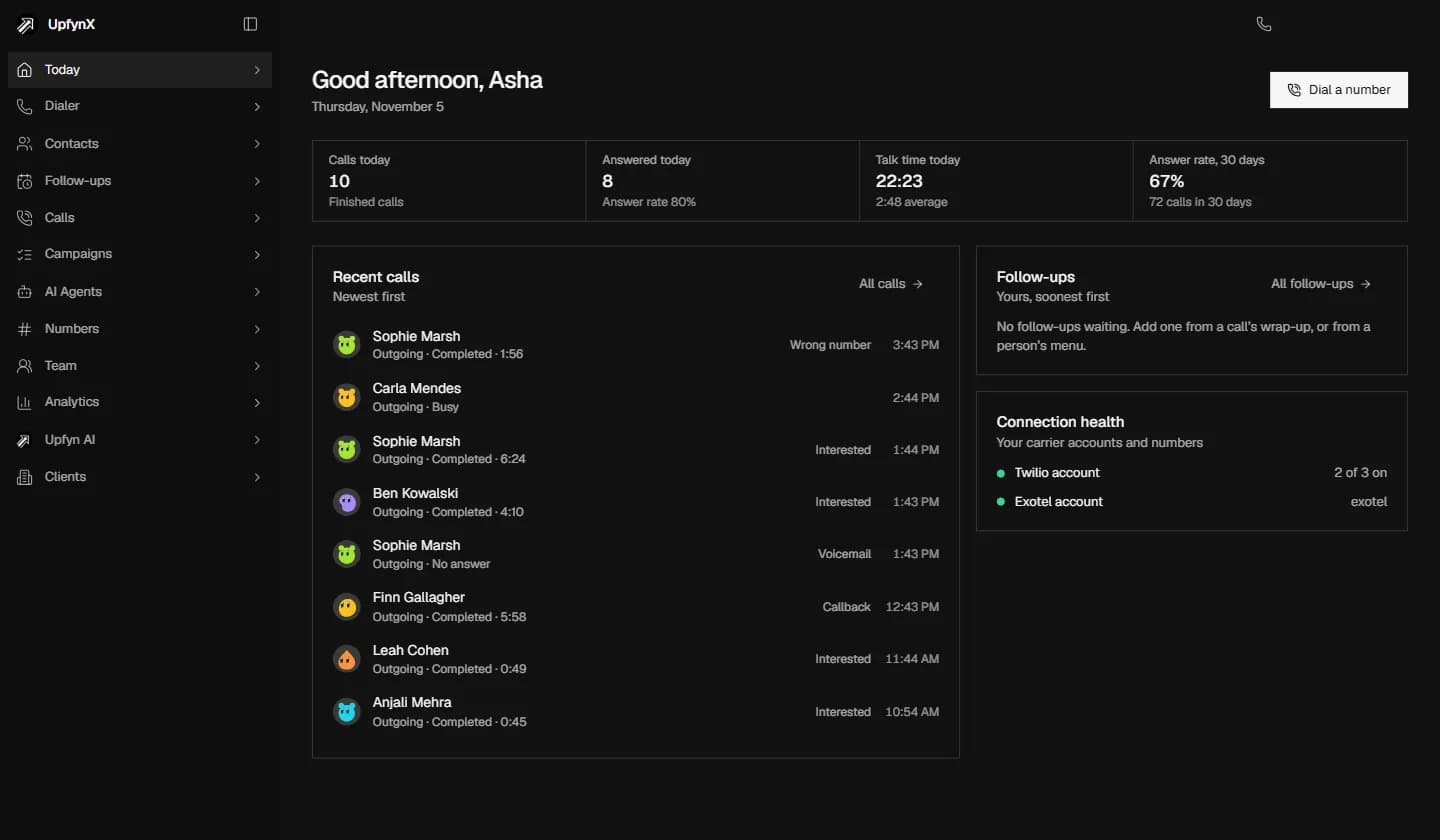
Every call deserves a prepared caller. UpfynX puts one person on one call, with the rules checked before it goes out and the person's history in view.

The Situation
Good calling depends on people. When one caller speaks to one person, whoever picks up is met by someone ready to talk, with the history of earlier calls in view. Do-not-call lists and calling hours work hardest when they sit inside the tool, where they hold at the busiest point of the day.
Our Approach
UpfynX keeps a person on every call. Preview shows who is next, and Power dials the next person only after the outcome is saved. Do-not-call lists and calling hours are checked before the call goes out, and an out-of-hours call that someone confirms is written to the audit log. Your numbers stay in your own carrier account throughout.
Your Own Numbers
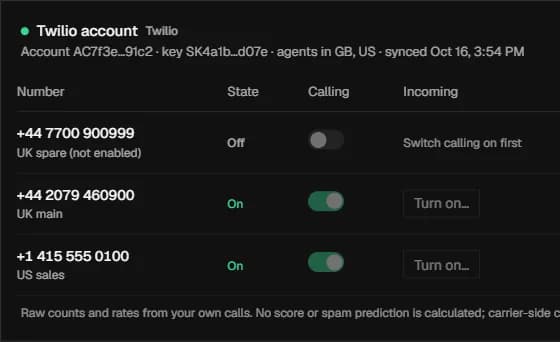
Your numbers stay in your own carrier account, and you choose which of them UpfynX may call from.
People Make the Calls
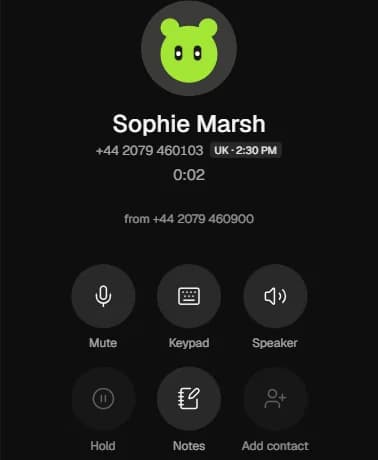
One person is called at a time, by a member of your team. There is no predictive or parallel dialling.
Calling Rules Built In
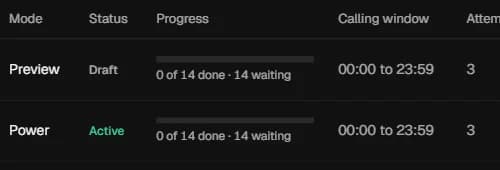
Do-not-call lists and calling hours are checked before any call goes out.
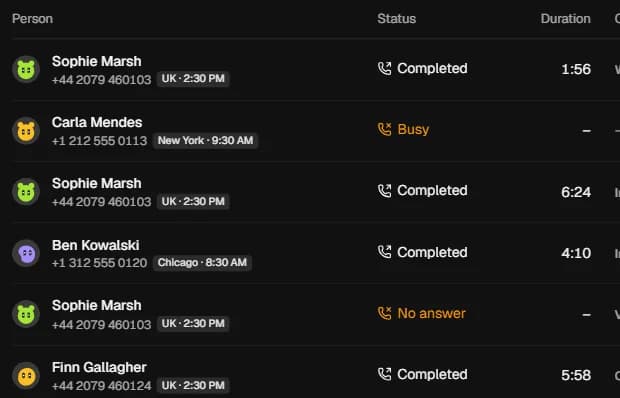
Every Call on Record
Calls, outcomes and notes stay on each person's timeline, with recordings if you choose to turn them on.
What Your Callers Need, Held in One Application
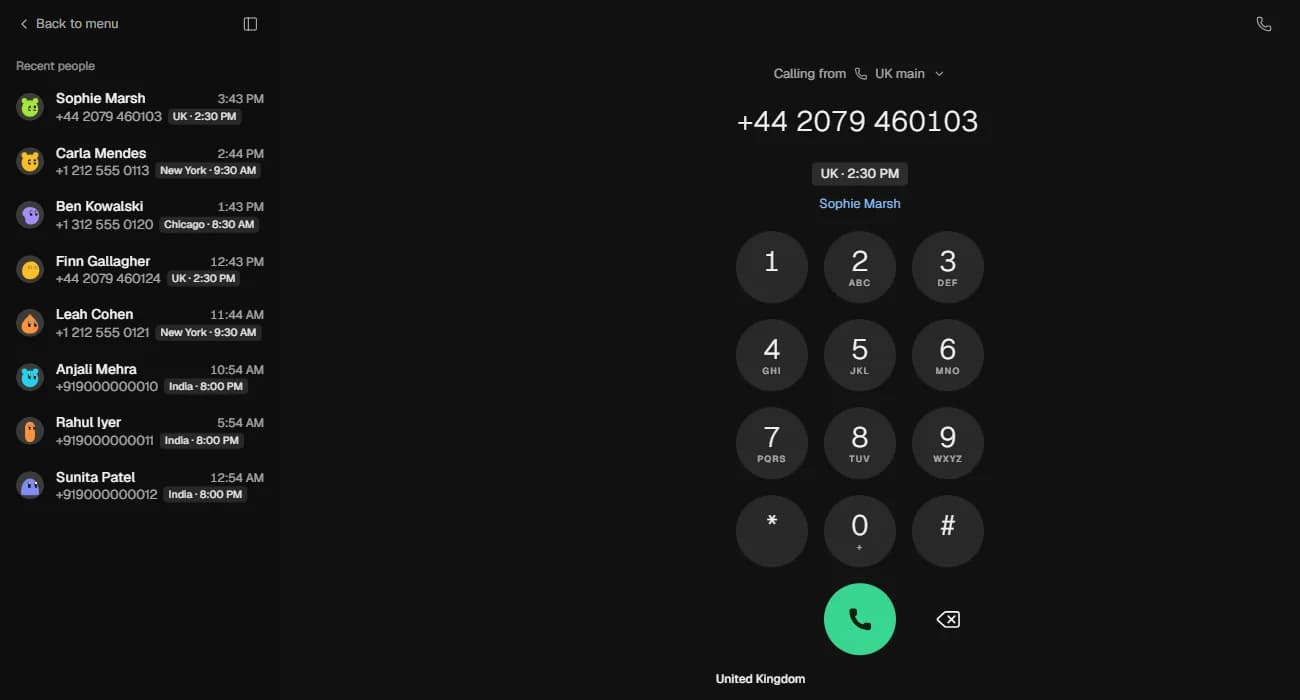
Dial a Number or Select a Recent Person
Callers choose the number to call from and then dial. If the number is already in your contacts, they see who it is before the call is placed.
- A choice of outgoing number
- The contact's name shown before the call
- Mute, keypad, hold and notes during the call
Give Your Callers One Shared Record, in One Application
We will show you how UpfynX fits the way your team calls today.
Book a Demo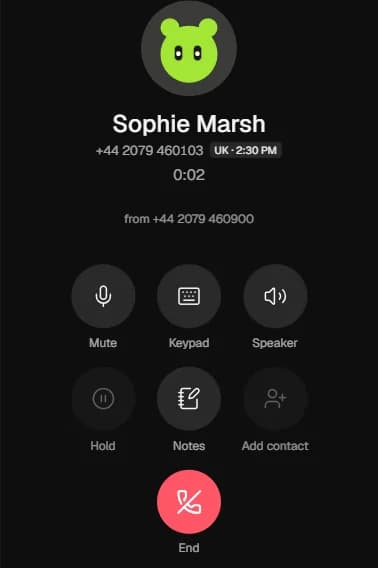
The Case for UpfynX
Your Carrier, Your Account
You connect your own carrier account and call from your own numbers, so they remain yours. On Twilio you connect with an API key, not your Auth Token.
Rules Before the Call Goes Out
People on the do-not-call list or outside calling hours are held back. If someone confirms a call outside hours regardless, it is written to the audit log.
Everything Stays on the Person
Calls, notes, outcomes and follow-ups sit on one timeline, so whoever calls next can see what happened last.
AI When You Want It
Upfyn AI can answer questions from a person's notes and call history. It is optional, and the dialer works without it.
Built for Teams Whose Work Happens on the Phone
Integrations
Connected to the Accounts You Already Hold
You connect your carrier and voice accounts, bring contacts in from a spreadsheet, and allow your AI tools to reach your calls.


 UpfynX
- TwilioCarrier
- ExotelCarrier
- VapiVoice AI
- ElevenLabsVoice AI
- Upfyn AIAssistant
- MCP ClientsYour AI Tools
- CSV ImportContacts
- TwilioCarrier
- ExotelCarrier
- VapiVoice AI
- ElevenLabsVoice AI
- Upfyn AIAssistant
- MCP ClientsYour AI Tools
- CSV ImportContacts
Insights
Perspectives Behind This Product
Perspective · 4-minute read
Match Automation in Customer Operations to the Cost of a Wrong Answer
ExpandFrequency shows where the hours are, and the cost of a wrong answer shows where automation is safe. We sort your contacts that way and build for each group.
Guide · 5-minute read
Choose the Browser by Default, and Desktop When a Named Need Requires It
ExpandHardware, local files and offline work decide the question better than taste. When a task needs the machine, we build desktop software that updates itself safely.
Perspective · 4-minute read
Fix the Handoffs Between Your Channels Before You Redesign the Screens
ExpandA redesign improves what one team owns. Customers often give up in the gap between channels, where no one owns what happens next. We research it, map it and fix it first.
Perspective · 5-minute read
A CRM Your Sales Team Keeps Using: Stages That Record What the Buyer Has Done
ExpandA CRM stays in use when it asks for less and returns more. Stages defined by what the buyer has done change both the data and the reason to keep it up.
Guide · 4-minute read
Agree What Each Number Means Before Anyone Builds a Dashboard
ExpandThree departments can give three correct answers to one question. We write each definition down first, so the report you build shows a number the whole business accepts.
Perspective · 4-minute read
Decide Which System Owns Each Fact, and Every Connection You Build Becomes Simpler
ExpandConnecting two systems is the easy part. Deciding which one is right when they disagree comes first, and we settle ownership of each fact before we build anything.
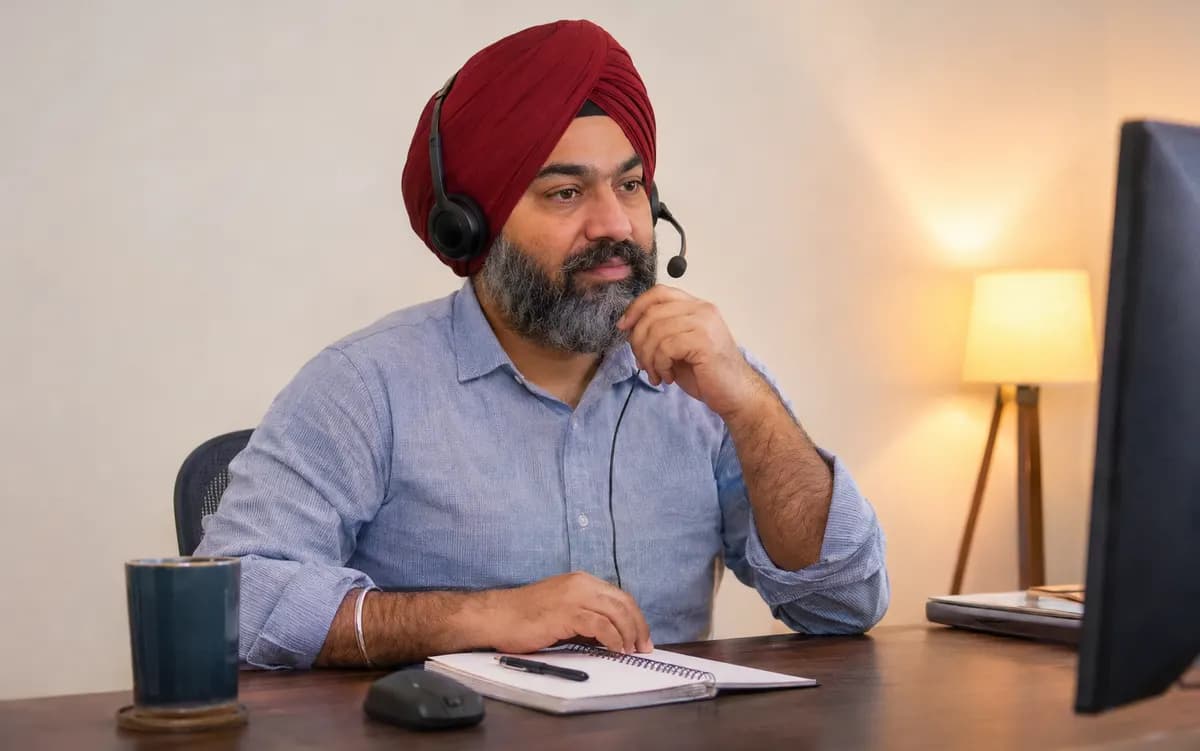





See UpfynX Working on a Call, Alongside How Your Team Calls
See how it fits the way your team works today.
UpfynX is built for people making calls, one at a time, so it has no predictive or parallel dialling. Preview shows who is next, so the caller decides when to dial. Power dials the next person once the caller has saved the outcome of the current call. In both modes, anyone on the do-not-call list or outside calling hours is skipped.
UpfynX connects to Twilio and Exotel accounts, and your numbers stay where they are. You connect your own carrier account, choose which numbers to switch on, and call from those. Each number shows its calls and answer rate, so you can see how each one is performing. Your calling stays on that account, and the carrier relationship remains yours.
Only the credentials you give it to connect, and they are encrypted at rest. On Twilio that is an API key, never your Auth Token, and you can rotate it or disconnect it. You connect the account yourself and choose which numbers UpfynX may call from. Your numbers and your calling remain with your carrier, so those numbers stay yours.
The call is held back before it goes out. Do-not-call lists and calling hours are checked first, and in a campaign those people are skipped, with calling windows set for each campaign. If someone confirms a call outside hours regardless, that decision is written to the audit log, so the exception is on record.
Yes, if you turn recording on, which remains your choice. On a Twilio connection the notice plays before recording begins, and we go through how it works on your own calling setup on the call. Where recording is on, each recording sits with its call alongside the outcome and notes, and can be opened from your call history, which can be searched and filtered. Whoever calls that person next therefore has the context.
Yes. Analytics show calls, answers, talk time and outcomes for everyone in the workspace, by person and by number. You can see calls and answer rate per day, how calls ended and which outcomes were saved. Because each number also carries its own raw counts, a lead can look at a caller's results and a number's results separately.
The import checks your CSV file before anything is saved, so problems surface before they reach your contacts. Once people are in, each person's calls, notes, outcomes and follow-ups sit on one timeline. Anyone on your do-not-call list is still held back when a campaign reaches them, so your calling rules apply to every imported list.